
Dynamic CRM Downloads
TheDynamic CRM Downloadsfeature allows users to easily download and install new CRM integrations directly from within the CRM Integration Product.
Both standard and controlledintegrations appear in the dropdown list, and any new CRM integration available for download will display adownload iconnext to its name.
This enhancement streamlines setup by letting users add new CRM connectors without needing manual updates or reinstallations.
Dynamic CRM Downloads Instructions
| 1. Identify new CRM integrations: Any CRM available for download will display a download icon next to its name in the dropdown list. |  |
| 2. Select the integration you wish to download from the list. | 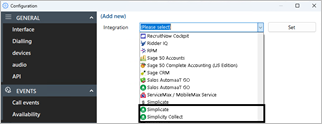 |
| 3. Click Set to begin the installation process. |  |
| 4. When prompted to download the integration, click Install. | 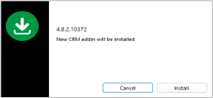 |
| 5. Confirm the restart prompt by clicking Yes to restart the client. | 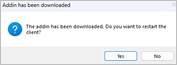 |
| 6. After restart, open the application and select the newly installed CRM from the dropdown list as you would with any other integration. |
 Report this page